AssetFlow
A macOS app for snapshot-based portfolio management and asset allocation tracking.
AssetFlow helps you take control of your investments by recording portfolio snapshots over time. Instead of syncing with brokerage accounts, you capture the state of your portfolio whenever you choose — giving you a clear, private picture of how your assets are allocated and how they grow. Everything stays on your Mac, with no cloud accounts required.
Why AssetFlow?
AssetFlow is for DIY investors who manage portfolios across multiple brokers, currencies, and asset types — and want to see their whole allocation without handing account access to an aggregator.
- Any asset, any broker. Track stocks, ETFs, mutual funds, crypto, real estate, cash, or anything else — without waiting for the developer to add support for your platform. No curated compatibility list, no roadmap to wait on.
- Allocation-first, not transaction-first. Most trackers obsess over every buy and sell. AssetFlow asks the more useful question: how is your wealth distributed, and what do you need to adjust to hit your targets? Record snapshots when it matters instead of reconciling every trade.
- Native macOS, not phone-first. Most portfolio trackers are iOS apps with a thin web companion — but the work itself isn't phone-shaped. Broker websites are built for desktop browsers, CSV exports land in your downloads folder, and reviewing allocation needs real screen real estate. AssetFlow runs natively on macOS, on the same screen as the broker tabs you're already using.
- CSV import beats account linking. Most brokerages already let you export CSV — and AssetFlow imports it directly. No handing your broker login to a third-party app, no fragile aggregator in the middle, no waiting on integrations that may never ship.
- Private by design. Your portfolio data never leaves your Mac. The only network request fetches public exchange rates from a CDN — no account, no telemetry, no developer servers to trust.
- Open source and auditable. AssetFlow's source is on GitHub. You don't have to trust the privacy claim — you (or anyone) can verify it.
Feature Highlights
-
Snapshot-Based Tracking
Record your portfolio's state at any point in time. Compare snapshots to see how your holdings change across weeks, months, or years.
-
Multi-Currency Support
Track assets in multiple currencies with automatic exchange rate fetching. All values convert to your base currency for a unified view.
-
Category & Target Allocation
Organize assets into categories like Equities, Bonds, and Cash. Set target allocation percentages to define your ideal portfolio.
-
Rebalancing Calculator
See exactly what to buy or sell to reach your target allocation. Take the guesswork out of portfolio rebalancing.
-
CSV Import
Bulk import assets and cash flows from spreadsheets. Get up and running quickly with data you already have.
-
Performance Metrics
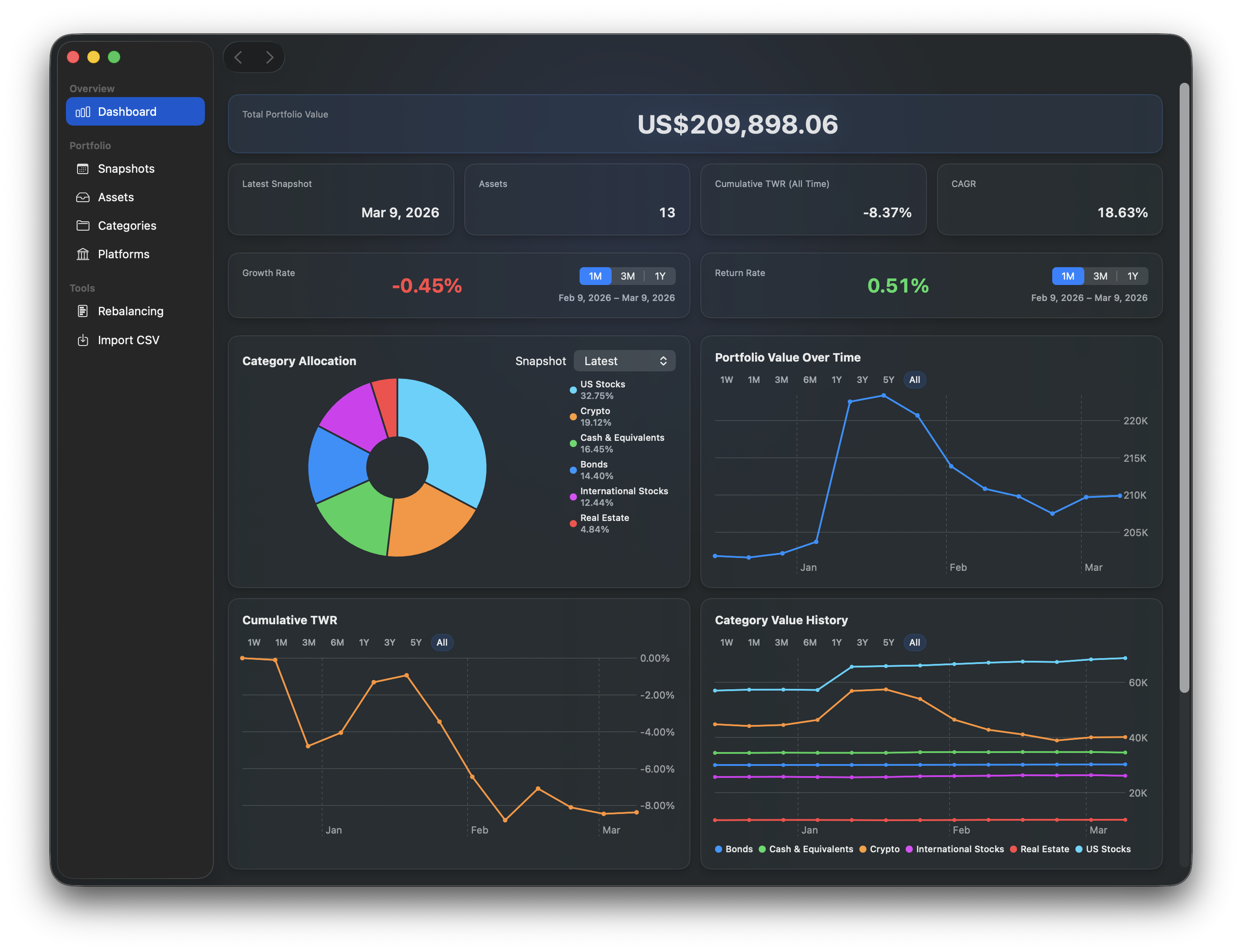
Track growth rate, Modified Dietz return, time-weighted return (TWR), and compound annual growth rate (CAGR).
-
Charts & Visualizations
Interactive pie charts for allocation breakdowns and line charts for portfolio value over time.
-
Security
Optional app lock with Touch ID, Apple Watch, or password. Your financial data stays private.
Get Started
-
User Guide
Learn how to use AssetFlow — from first launch to advanced features.